
Open source, MIT licensed, free
 Puls
See your traffic.
Without a cookie banner.
Puls is web analytics in a single PHP file and SQLite. No cookies, no stored IP addresses, and all data stays on your own server.
The demo needs no account and shows made-up data. Puls is made by Webready, a web agency in Sweden, which uses it on its own and its clients' sites.
No cookie banner
Puls sets no cookies and is designed to work without one.
No monthly fee
Open source under the MIT licence. No pageview caps and no sign-up.
No third party
The statistics are in a file on your own server, not with someone else.
Why Puls
For anyone who wants to know how a site is used, without handing visitor data to a third party.
One file, no infrastructure
A PHP file, a dashboard page and SQLite. No Node and no database server. It runs on ordinary PHP web hosting, or as a prebuilt Docker image.
Private by design
A visitor is a hash of the IP address, the browser and the site, with a random salt that changes every day. The IP address is never stored, and the salt is deleted the next day. After that the hash cannot be computed again, not even by whoever runs the server.
Your data, on your server
The statistics are in one SQLite file, the accounts in users.json. The command php puls backup makes a checked copy without the day's salt. A plain file copy includes it.
Light on your pages
The tracking script is under 2.5 KB gzipped and sends with sendBeacon, so it never holds up the page.
Bots and AI
See who reads your site besides people
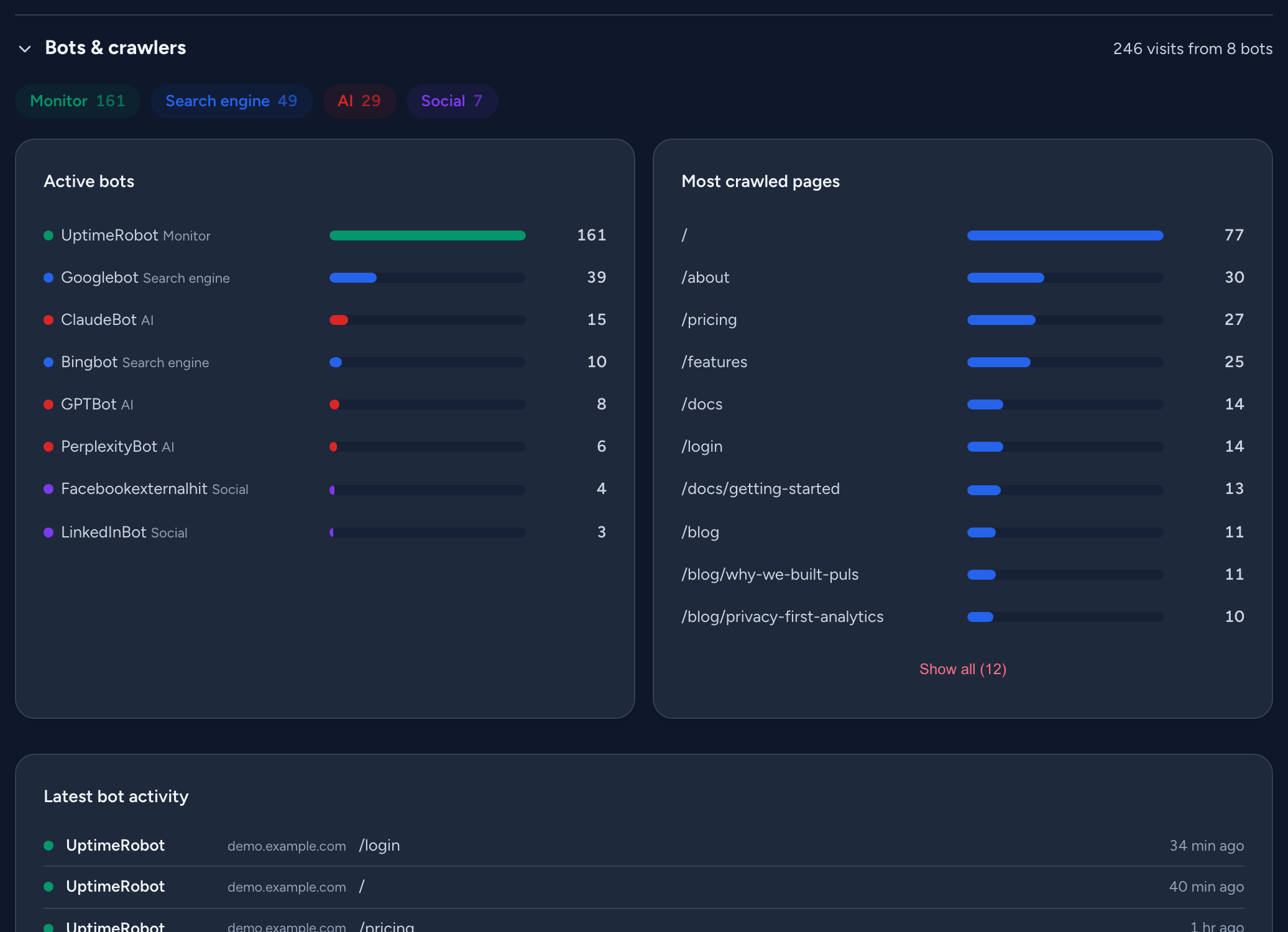
AI crawlers such as GPTBot, ClaudeBot and PerplexityBot are counted separately, and so are search engines, SEO tools and monitors. You see which pages they read, and broken links that need fixing.
Most crawlers run no scripts. Puls sees them, and broken links, when the site you track runs on Nginx you can configure. On ordinary shared hosting you will therefore see few bots and no broken links.
Events and goals
Events you can read, not just count
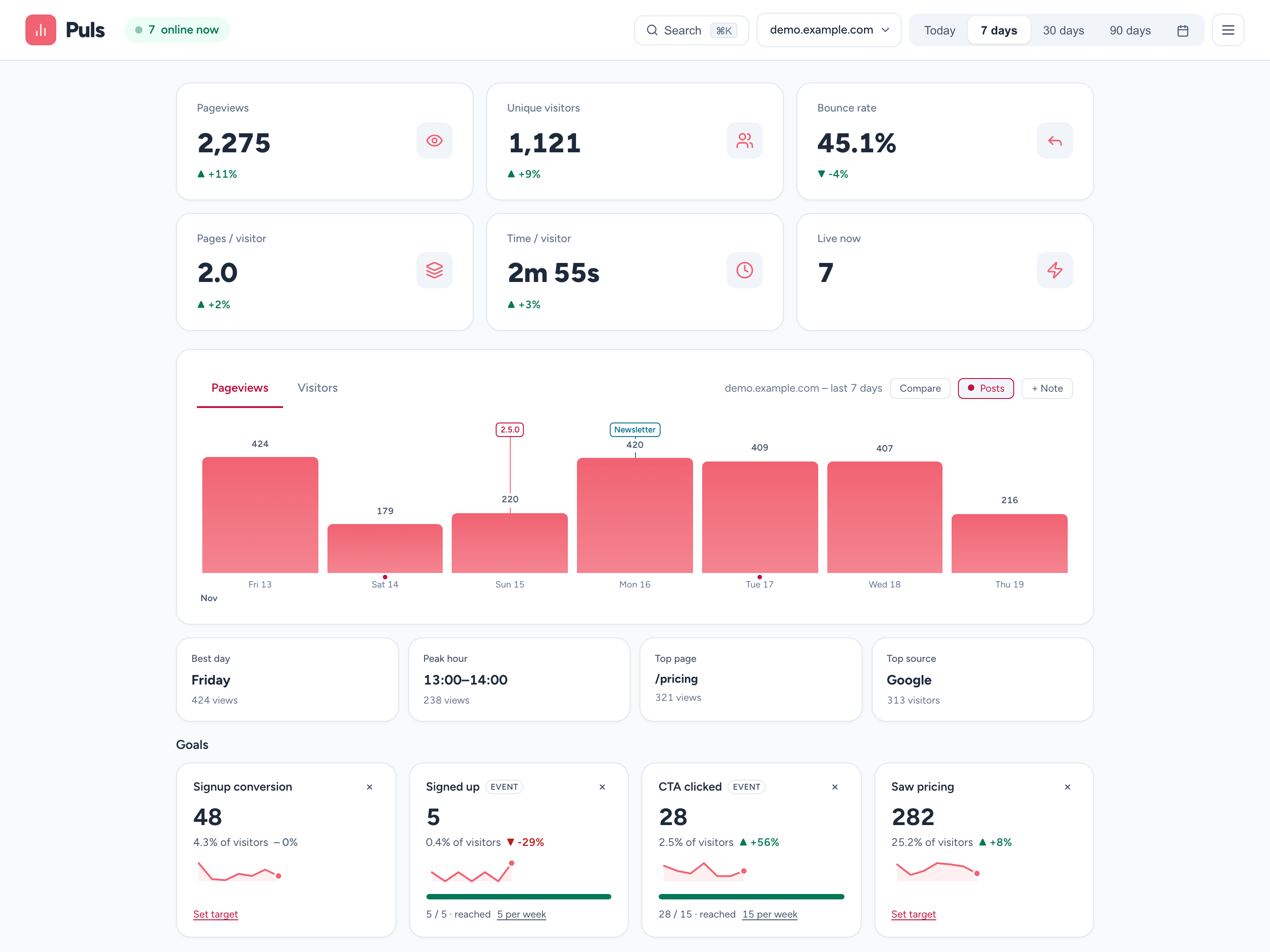
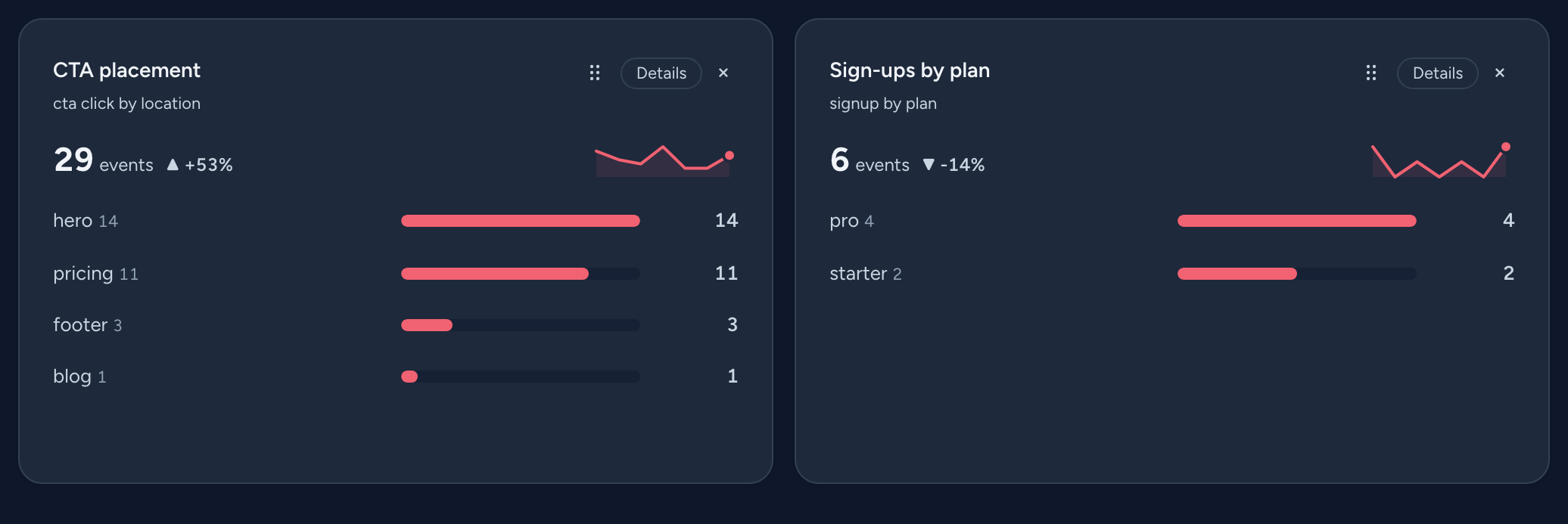
One line of code is enough. Each event gets a trend, a rate per 100 visitors and a breakdown by any key in its data. Set goals with targets, such as ten enquiries a week.
puls.track('signup', { plan: 'pro' })Agencies, teams and AI
Built for more than one site
For agencies and anyone with client sites
One install is enough for every site you look after.
- One dashboard for many sites, in groups
- Users who see only their own sites
- Share links that can be read without a login
- White-label: your own name and colour
For anyone building with an AI assistant
Give the assistant a read-only token, and it can see what your visitors do before it changes anything.
- A report in Markdown, written for the assistant
- JSON and CSV for your own reports and spreadsheets
- Puls itself never calls an AI service
Channels and campaigns
Paid, organic, social and direct traffic, and visitors from ChatGPT, Perplexity and other AI services as their own channel. UTM campaigns with a link builder and Google Ads detection.
Compare over time
Compare with the previous period, custom date ranges, chart notes and release markers.
Tracking without code
Two attributes on the script tag count clicks on phone numbers and email addresses, downloads, forms and outbound links.
How Puls compares
The only one here that runs on ordinary PHP web hosting with no database to set up.
| Tool | Where it runs | Database | Cookies | Bots and AI | Licence |
|---|---|---|---|---|---|
| Puls | Any PHP 8.3+ host, shared too, or Docker | SQLite, built in | None | Filtered out and listed per bot (most need Nginx) | MIT |
| GoatCounter | Own server, one Go binary | SQLite or PostgreSQL | None | Filtered out | EUPL (modified) |
| Umami | Own server, Node.js or Docker | PostgreSQL | None | Filtered out | MIT |
| Plausible CE | Own server, Docker, 2 GB RAM | PostgreSQL and ClickHouse | None | Filtered out | AGPL-3.0 |
| Rybbit | Own server, Docker, 2 GB RAM | PostgreSQL, ClickHouse and Redis | None | Filtered out, listed if they run its script | AGPL-3.0 |
| Matomo | PHP web hosting | MySQL or MariaDB | Yes, can be turned off | Filtered out; AI assistants listed with extra server setup | GPL-3.0 |
| Fathom | Hosted only | - | None | Filtered out, the total is shown | Proprietary |
| Simple Analytics | Hosted only | - | None | Filtered out | Proprietary |
| Google Analytics | Hosted only | - | Yes | Filtered out | Proprietary |
From each project's own documentation, November 2026.
When to pick something else
Puls is made for small and medium sites that you run yourself.
- Nothing to run: Fathom or Simple Analytics, or the hosted plans of Plausible, Umami and GoatCounter.
- Millions of pageviews a month on one site: a database built for analytics, like ClickHouse in Plausible and Rybbit, stays fast at that size.
- Session recordings, page speed or error tracking: Rybbit.
- E-commerce reports or heatmaps: Matomo.
What Puls keeps, and does not
Puls is designed to work without a cookie banner. You decide what your sites send: how to keep personal data out of the URLs.
Kept
- One hash per visitor, site and day
- The page's URL, with its query string unless you turn that off in the script, and the domain the visitor came from
- The time, and how long the page was visible and in use
- Browser and type of device
- UTM parameters from campaign links
- Language from the browser's setting, and a country guessed from it (not from location)
- Events you send or turn on, with their page and data
- Bot visits: page, time and the whole user agent
- Broken links and redirects, if you log them with Nginx: the whole URL, and the page that linked to it
- Every login attempt to Puls: time, username and IP address
Never kept
- Cookies. Nothing is stored in the visitor's browser, except a localStorage flag for anyone who opts out with #puls-ignore
- Visitors' IP addresses. They are used only while the visit is received. The web server's own log is up to you
- Fingerprints through canvas, fonts or WebGL
- A Puls id that follows a visitor to the next day
How long it is kept
- Pageviews: until you remove the site from Puls
- Events: 400 days, can be changed
- Bot visits: 90 days, can be changed. The count per day stays
- Broken links: 30 days after the last hit
- Login attempts: no time limit
Get started in two minutes
You need PHP 8.3 or newer with SQLite. Upload the files, point the domain at the public/ folder so nobody can download your accounts or data, create a login and add one line to your site.
Without SSH you create the login on your own computer, which needs PHP too. Share links, read-only tokens, groups, backups and removing data are commands on the server, so they need SSH.
unzip puls-*.zip && cd puls-*/
php puls user:add admin            # create your login
php -S localhost:8080 -t public    # try it, or point your web server at public/
Add this to every site you track. stats.example.com is where your Puls is. How to add it in WordPress, Next.js, Laravel and others
<script src="https://stats.example.com/?js" data-site="example.com" defer></script>